
Google Officially Clarifies the New 2 MB Crawl Limit
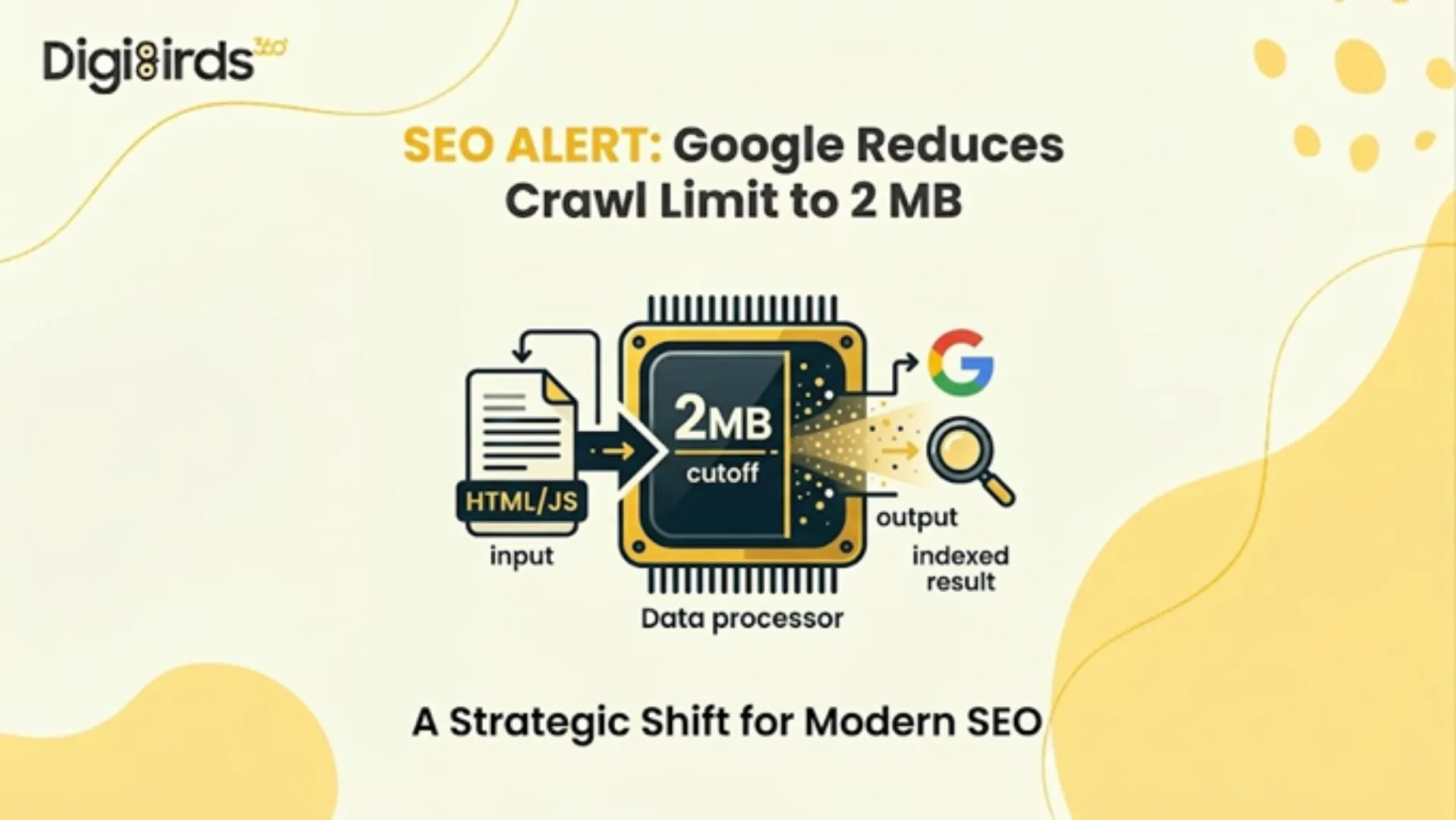
Google has officially clarified that the new Google Crawl Limit for HTML and supported text-based files is now 2 MB. Earlier, many SEO professionals assumed Googlebot crawler systems could process up to 15 MB of content. However, Google has now confirmed that only the first 2 MB of a file will be fetched and considered for indexing in Google Search. PDFs remain an exception, with a separate 64 MB limit.
For website owners, developers, and marketers, this change highlights the growing importance of lean page structures and efficient coding practices.
What Has Changed With the Google Crawl Limit?
Google reorganised its official crawler documentation and formally clarified file size thresholds for Googlebot. The most significant update: the Google crawl limit for HTML and supported file formats has been set at 2 MB per file.
Source: google.com
Prior documentation had referenced a general 15 MB threshold, making this an 86.7% reduction in the documented maximum file size that Googlebot will process when crawling and indexing content for Google Search.
To be precise about the full scope of this update:
| File Type | Crawl Limit |
|---|---|
| HTML and supported formats | 2 MB |
| PDF files | 64 MB |
| Other Google crawlers (default) | 15 MB |
It is essential to note that this limit applies per file, not per page or per domain. Each resource (HTML, CSS, or JavaScript) is processed independently by the Crawl bot AI infrastructure.
From a quantitative perspective, this limit is still significantly higher than real-world usage. According to web performance benchmarks:
- Median HTML page size: 33 KB
- 90th percentile: 151 KB
This means that over 95% of websites operate well below the page size limit for Googlebot crawlers, making the update largely non-disruptive for optimised websites.
How Googlebot Processes the 2 MB Limit?
The Use of Googlebot involves a multi-stage crawling and rendering pipeline. When a page exceeds the Google 2mb limit, the following occurs:
- Partial Fetching: The Googlebot crawler downloads only the first 2 MB of the file, including HTTP headers.
- Silent Truncation: Any content beyond 2 MB is ignored, without warnings in Google Search Console.
- Rendering Constraints: The Web Rendering Service (WRS) processes only the fetched portion. If critical elements lie beyond the cutoff, they are not indexed.
- Independent Resource Crawling: External CSS and JavaScript files are fetched separately, each subject to its own limits.
This architecture highlights that the Crawl bot AI is designed for efficiency rather than exhaustive data retrieval.
Source: google.com
How the 2 MB Limit Affects Indexing in Practice?
The Googlebot crawler does not reject oversized pages outright. Instead, it silently truncates the file once the Google Crawl Limit of 2 MB is reached.
This means:
- Googlebot crawler systems fetch only the first 2 MB of the HTML source
- The fetched portion is passed to Google’s indexing systems and Web Rendering Service (WRS)
- Any content beyond the Google 2mb limit is not fetched, rendered, or indexed
- Critical SEO elements placed after the cutoff may never be seen by Google
Independent testing has shown that a 3 MB HTML page can still appear as indexed in Google Search Console, even though the indexed source code is truncated midway through the page.
Key findings from these tests include:
- A 3 MB HTML page was indexed only partially
- The code stopped around line 15,210
- The source ended mid-word at “Prevention is b”
- Google Search Console displayed “URL is on Google”
- No warning, error, or notification was shown
Larger files can create even greater issues.
One of the biggest concerns is that Google Search Console’s URL Inspection Tool can be misleading. The tool uses a separate internal crawler, which appears to work under the older 15 MB threshold rather than the Google Crawl Limit of 2 MB.
Key Risks for Large Websites
While most websites remain unaffected, certain architectures may encounter risks under the Google Crawl Limit:
1. Bloated HTML Structures
Websites with excessive inline CSS, JavaScript, or base64 images may exceed the Google 2mb limit, pushing critical content beyond the crawlable range.
2. JavaScript-Heavy Applications
Single-page applications relying heavily on inline scripts may face incomplete rendering if essential logic exceeds the limit.
3. Poor Content Hierarchy
If metadata, canonical tags, or structured data appear after the 2 MB threshold, they may not be indexed.
However, specific categories of websites warrant careful audit:
- E-commerce platforms with extensive inline product data, base64-encoded images, or large structured data blocks
- News and media portals utilising infinite scroll or JavaScript-heavy content delivery
- Single-page applications (SPAs) with heavy inline JavaScript bundles
- Enterprise sites with complex, legacy page builder markup generate excessive DOM nodes
- Pages with large inline CSS or JavaScript that have not been externalised to separate files
The risk is not merely about page size; it is about content placement. If critical elements such as structured data, canonical tags, or primary body content appear late in the HTML document, they may fall beyond the 2 MB cutoff even on pages that are only marginally oversized.
How to Increase Google Crawl Rate and Efficiency?
While the Google crawl limit is not directly adjustable by site owners, several technical measures substantially reduce the risk of content truncation and help increase Google crawl rate indirectly by improving overall crawl efficiency:
1. Externalise CSS and JavaScript
Each external resource referenced in your HTML is fetched by the WRS under its own separate per-URL byte counter, independent of the parent HTML document's 2 MB limit. Moving inline styles and scripts to external files is the single highest-impact optimisation available.
2. Prioritise Critical Content Placement
Meta tags, canonical elements, title elements, hreflang annotations, and primary structured data should appear as early in the HTML <head> as possible. Body content conveying core messaging and conversion signals should precede supplementary elements such as related articles, comment sections, or personalisation blocks.
3. Monitor the Indexed Source Code, Not the Inspection Tool
The only reliable method for verifying whether Googlebot is indexing your complete content is to review the actual indexed source code in Google Search Console; not the live test, which uses a different crawler. Compare the indexed source line count against the original file to detect silent truncation.
4. Implement Automated Page Size Monitoring
Integrate HTML file size checks into your CI/CD pipeline. Tools such as Screaming Frog, Sitebulb, Chrome DevTools, PageSpeed Insights, and GTmetrix can surface pages approaching the 2 MB threshold. Set internal alerts when any page template exceeds 500 KB of raw HTML.
5. Audit and Remove Legacy Bloat
Common contributors to excessive HTML file size include: unused JavaScript libraries, redundant navigation markup rendered multiple times, inline SVGs that could be externalised, large base64-encoded assets embedded directly in markup, and overly nested DOM structures generated by legacy page builders.
Summary of Test Results
Rather than relying solely on documentation, our team at DigiBirds360 conducted a structured series of tests, submitting files of varying sizes and types to Google for indexing and analysing the outcomes through Google Search Console.
Below is a consolidated overview of what we found.
| Resource Type | Fetched by Googlebot? | Indexed / Parsed? | GSC Inspection Warning? | Notes |
|---|---|---|---|---|
| HTML (3 MB) | Yes | Only the first 2 MB | None | Silent truncation — content cut off mid-word, no error surfaced |
| HTML (16 MB) | No | No | Generic error only | "Something went wrong"; all crawl data fields returned N/A |
| Images (2.5 MB) | Yes | Yes | — | Separate crawler limit; entirely unaffected by the 2 MB HTML cap |
| CSS / JS (> 2 MB) | Yes | Likely truncated | None | Same silent truncation behaviour expected as with HTML |
DigiBirds360 Recommendation
At DigiBirds360, our recommendation to clients is straightforward: treat the 2 MB Google crawl limit not as a crisis, but as a diagnostic benchmark. If your HTML pages are well-architected (with externalised assets, clean semantic markup, and content hierarchy that places critical signals early in the document) you are almost certainly unaffected.
If you are unsure:
- Commission a technical crawl audit.
- Measure actual indexed source lengths against source files.
- Identify the highest-risk templates.
- Prioritise fixes on pages that drive organic traffic and conversions.
The websites most vulnerable to this limit are those that already carry technical debt. The 2 MB threshold is, in that sense, less a new constraint than a quantified reminder that clean, efficient code is foundational to sustainable search performance.
In Conclusion
The introduction of the Google 2mb limit represents a refinement rather than a disruption in Google’s crawling ecosystem. While the Google Crawl Limit enforces stricter byte-level constraints, it primarily impacts poorly optimized websites with excessive HTML bloat.
For the majority of businesses, especially those following modern development standards, the impact is negligible. However, ignoring this update can result in silent content loss, reduced visibility, and missed indexing opportunities.