
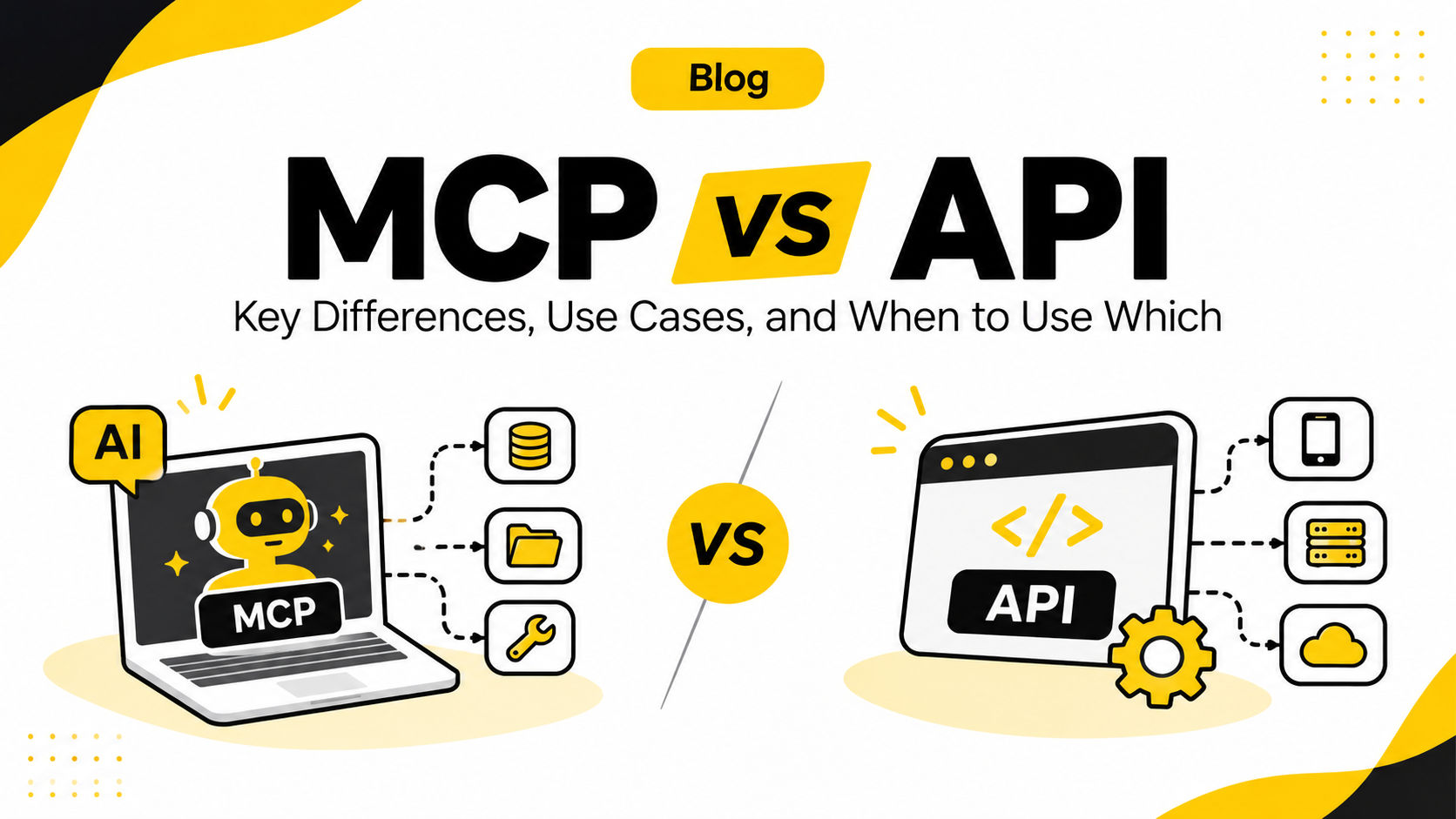
Every business that is adding AI to its software runs into the same question sooner or later: do we need MCP, or is a normal API enough? The two terms are often used as if they were rivals. They are not. An API is how one piece of software talks to another. MCP (Model Context Protocol) is how an AI assistant or agent finds and uses those capabilities on its own.
In this guide we explain what each one is, compare them side by side in clear tables, show which job each one does, and explain why MCP is especially useful for custom software tools such as in-house CRMs, ERPs, admin panels and reporting dashboards.
The Short Answer
- An API is a contract between programs. A developer reads the documentation and writes code that calls specific endpoints, such as
GET /ordersorPOST /invoices. - MCP is an open standard that lets AI applications (Claude, ChatGPT, Copilot, Cursor and others) discover the tools and data your system offers and use them at run time, without a separate custom integration for every AI app.
- They work together. In most real projects, an MCP server sits on top of your existing APIs and presents them to AI in a standard way. MCP does not replace your API; it makes your API usable by AI.
What Is an API?
An API (Application Programming Interface) is a defined set of rules that lets one software application request data or trigger actions in another. When your website shows a shipping rate from a courier partner, takes a payment through a gateway, or pulls leads from a CRM, an API is doing the work in the background.
The most common style on the web is the REST API, where each resource has its own URL (an "endpoint") and the client uses HTTP methods such as GET, POST, PUT and DELETE. Other styles include GraphQL, which uses a single endpoint where the client asks for exactly the fields it needs, and gRPC, which is popular for fast service-to-service communication.
A typical API call follows four steps:
- The client sends a request in the format the API documentation describes.
- The server checks who is calling and whether they are allowed to make that request.
- The server processes the request.
- The server sends back a response with the result, or an error explaining what went wrong.
The important point: a human developer decides, at build time, which endpoint to call and when. The API does exactly what the code tells it to do. That makes APIs predictable, fast and ideal for system-to-system work.
What Is MCP (Model Context Protocol)?
MCP is an open protocol that standardises how AI applications connect to outside data sources and tools. Anthropic introduced it as an open-source project in November 2024. In December 2025, Anthropic donated MCP to the Agentic AI Foundation, a directed fund under the Linux Foundation co-founded by Anthropic, Block and OpenAI, with support from Google, Microsoft, AWS, Cloudflare and Bloomberg. That move made MCP a vendor-neutral standard rather than one company's format.
The official MCP documentation often compares it to a USB-C port for AI applications: one standard connector, instead of a different cable for every device.
The three roles in MCP
- Host: the AI application the user works in, such as Claude, ChatGPT, VS Code with GitHub Copilot or Cursor.
- Client: the connector inside the host that talks to one MCP server.
- Server: the program you build or install that exposes your system's capabilities to the AI.
What an MCP server offers
- Tools: actions the AI model can run, for example "create_invoice" or "search_customers".
- Resources: data and context the AI or user can read, such as a product catalogue, a policy document or a database record.
- Prompts: ready-made templates and workflows a user can trigger, such as "Prepare a monthly sales summary".
Under the hood, MCP messages use the JSON-RPC 2.0 format and travel over one of two transports: stdio for servers running on the same machine as the AI app, and Streamable HTTP for remote servers hosted on the web or in the cloud.
Where MCP stands in 2026
MCP has moved from experiment to mainstream infrastructure. The latest specification, version 2026-07-28, made the protocol stateless: each request now carries its own protocol version and capabilities, so any request can be handled by any server instance behind a normal load balancer. The same release added a formal extensions framework (including Tasks for long-running jobs and MCP Apps for interactive UI inside a chat) and tightened OAuth-based authorisation.
Adoption is broad. According to the MCP maintainers, the official Tier 1 SDKs are approaching half a billion downloads a month, and the TypeScript and Python SDKs have each passed one billion total downloads. Claude, ChatGPT, Microsoft Copilot Studio, Gemini CLI, VS Code with GitHub Copilot and Cursor all document MCP support.
MCP vs API: Key Differences at a Glance
| Aspect | API | MCP (Model Context Protocol) |
|---|---|---|
| What it is | An interface that lets one program request data or actions from another | An open standard that lets AI applications connect to tools and data in a uniform way |
| Built for | Developers and programs | AI models, assistants and agents |
| Who decides what to call | The developer, at build time, in code | The AI model, at run time, based on what the user asks |
| Discovery | A developer reads the documentation (for example, an OpenAPI file) | The AI app asks the server for its list of tools, resources and prompts |
| Description of capabilities | Written for humans in docs | Written for the model: names, plain-language descriptions and input schemas |
| Standardisation | Every API has its own endpoints, formats and error styles | Same message format and methods across every MCP server |
| Integration effort for AI | Custom glue code for each AI app and each API | Build one MCP server; any MCP-compatible AI app can use it |
| Message format | Varies: REST/JSON, GraphQL, gRPC, SOAP | JSON-RPC 2.0 |
| Transport | Usually HTTP(S) | stdio (local) or Streamable HTTP (remote) |
| Beyond actions | Endpoints only | Tools, resources (context) and prompts (templates) |
| When capabilities change | You update and redeploy the calling code | The AI app sees the updated tool list from the server |
| Speed and cost | Direct and fast; you pay only for the request | Adds an AI reasoning step and a protocol hop; worth it when flexibility matters more than milliseconds |
| Security focus | Authentication, rate limits, input validation | All of that, plus user consent, tool permissions and protection against prompt injection |
| Best for | Fixed, high-volume, predictable integrations | Letting AI assistants and agents work with your systems through natural language |
Which Does Which? Roles in a Real System
The clearest way to understand MCP vs API is to look at who handles each job when an AI assistant works with your software.
| Job | Handled by | What happens |
|---|---|---|
| Storing and processing business data | Your application and its API | Orders, invoices, leads and stock live in your system and are reached through its API |
| Website, mobile app or partner integrations | API | Your frontend, apps and partners keep calling the API directly, exactly as before |
| Telling the AI what your system can do | MCP | The MCP server lists tools such as "get_pending_orders" with descriptions and input rules |
| Choosing the right action for a user's request | AI model, using MCP | The model reads the tool list and picks the tool that fits the question |
| Carrying out the action | MCP server calls your API | The server turns the tool call into the correct API request and returns the result |
| Authentication and permissions | Both | The API enforces access rules; the MCP layer limits which tools are exposed and asks for user consent |
| Giving the AI background context | MCP (resources) | Policies, product catalogues or reports are shared as readable resources |
| Repeatable team workflows | MCP (prompts) | Standard requests like "Weekly sales report" become one-click templates |
How MCP and APIs Work Together: A Simple Example
Imagine a sales manager types into Claude or ChatGPT: "Which of our top 10 customers have unpaid invoices older than 30 days?"
- The AI app (host) has your company's MCP server connected and already knows its tools, for example
list_customersandget_overdue_invoices. - The model decides which tools answer the question and with which inputs.
- The MCP client sends a
tools/callrequest to your MCP server. - Your MCP server calls your existing REST API (or database) with the right credentials and filters.
- The API returns the data; the MCP server passes a clean result back to the model.
- The AI writes a plain-language answer, and can offer the next step, such as drafting reminder emails.
Notice that the API did the actual data work. MCP made it possible for the AI to find the right capability and use it safely, without anyone writing a one-off integration for that specific question.
Why MCP Is Beneficial for Custom Software Tools
Off-the-shelf platforms such as Salesforce, HubSpot, GitHub and Shopify increasingly ship their own MCP servers. Custom software is different. Your in-house CRM, ERP, inventory system, HR portal or client dashboard has no ready-made AI connector, and that is exactly where MCP adds the most value.
1. Build once, use in every AI app
Without MCP, connecting your custom tool to Claude, then ChatGPT, then Copilot, then your own internal agent means writing and maintaining separate integration code for each. With MCP, you build one server, and every MCP-compatible AI application can use it. This turns an "N AI apps × M systems" integration problem into a much smaller "one server per system" job.
2. Reuse the APIs you already have
Your custom software almost certainly has APIs already. An MCP server wraps them; it does not require a rebuild. Your website, mobile apps and partner integrations keep using the same APIs without any change.
3. Your team gets natural-language access to internal data
Staff no longer need to learn every screen or wait for a developer to build a new report. A manager can ask, "Show me last month's top-selling SKUs in Delhi NCR," and the AI pulls the answer from your own system through the MCP server.
4. You control exactly what the AI can do
An MCP server exposes only the tools you choose. You can give the AI read-only access to reports while keeping write actions (like issuing refunds or editing customer records) off the list, or behind a human approval step. This is often safer than handing an AI general API keys.
5. Runtime discovery keeps integrations current
When you add a new feature to your software and expose it as a new tool, connected AI apps see it in the server's tool list. There is no need to update a separate integration inside every AI product.
6. Future-proof and vendor-neutral
Because MCP is now governed under the Linux Foundation and supported by Anthropic, OpenAI, Google and Microsoft products, an MCP server you build today is not tied to one AI vendor. If your business switches or adds AI models later, the same server keeps working.
7. Ready for AI agents, not just chat
AI agents chain several steps together: look up a customer, check stock, create a quote, notify the sales rep. MCP gives agents a consistent way to use all of those capabilities. The 2026 specification also added a Tasks extension for long-running operations, which suits real business workflows such as report generation or bulk updates.
8. Easier to scale in production
With the stateless 2026-07-28 specification, a remote MCP server can run as multiple instances behind a standard load balancer, just like any other web service. That makes MCP practical for companies with many users and heavy traffic.
Practical Use Cases for Custom Software
| Custom tool | What the MCP server can expose | Example request to the AI |
|---|---|---|
| In-house CRM | Search leads, update lead status, log follow-ups | "List all hot leads from last week that nobody has called yet." |
| ERP / inventory system | Stock levels, purchase orders, pending approvals | "Which products will run out of stock in the next 15 days?" |
| Billing and accounts | Invoices, payment status, overdue reports | "Summarise unpaid invoices above ₹50,000 by client." |
| HR portal | Leave balances, policies, attendance summaries | "How many casual leaves does the design team have left this quarter?" |
| Support desk | Ticket search, ticket history, knowledge base articles | "Find similar past tickets and suggest a reply for ticket #4821." |
| Website CMS / admin panel | Create draft pages, update blogs, fetch analytics | "Create a draft blog from these notes and add the right tags." |
| Reporting dashboard | Pre-built reports as resources, filters as tool inputs | "Compare this month's leads by source with last month." |
When to Use an API, MCP, or Both
Use a direct API when:
- The flow is fixed and predictable, such as payment processing, order sync or webhooks.
- Speed and cost per request matter most, for example high-volume background jobs.
- No AI is involved; one program simply talks to another.
Add MCP when:
- You want AI assistants or agents to read from or act inside your software.
- Users will ask open-ended questions you cannot predict in advance.
- You want one integration that works across Claude, ChatGPT, Copilot and your own agents.
Use both (the most common setup) when:
- Your apps and partners need reliable APIs, and your team also wants AI access to the same system.
- You want to keep business rules and security in the API, and let MCP handle how AI discovers and calls it.
Security: What to Watch With MCP
MCP gives AI real access to real systems, so security needs the same attention you give any public API, plus a few AI-specific risks. The Cloud Security Alliance reported that by early 2026, researchers had catalogued nearly 7,000 internet-exposed MCP servers, with roughly half running without any authentication. A well-built server avoids these problems:
- Always require authentication on remote servers, using the OAuth-based flow defined in the MCP authorisation spec.
- Follow least privilege: expose only the tools a use case needs, and prefer read-only tools where possible.
- Keep a human in the loop for actions that change records or move money. The MCP specification itself says hosts must get explicit user consent before invoking a tool.
- Guard against prompt injection: treat text that comes back from tools (emails, web pages, documents) as untrusted data, never as instructions.
- Vet third-party servers before installing them, since a malicious server can hide instructions in its tool descriptions ("tool poisoning").
- Log every tool call so you can audit what the AI did and when.
How to Add MCP to Your Custom Software
- Pick the use cases. Start with two or three high-value, low-risk tasks, such as reporting or search.
- List the tools. Map each task to a small, clearly named tool with a plain-language description and a strict input schema.
- Connect to your existing APIs. Build the MCP server with an official SDK (TypeScript, Python, Go and C# are Tier 1) and have it call your current endpoints.
- Secure it. Add authentication, role-based permissions, rate limits and approval steps for sensitive actions.
- Test with real AI clients. Try the server in Claude, ChatGPT, VS Code or Cursor and check that the model picks the right tools.
- Deploy and monitor. Host it as a remote server over Streamable HTTP, log usage, and add new tools as your team asks for them.
Conclusion
MCP vs API is not an either-or choice. APIs remain the foundation that moves data between systems. MCP is the layer that lets AI use those APIs in a standard, discoverable and controlled way. For businesses running custom software, MCP is the fastest route to making in-house tools AI-ready: build one server on top of your existing APIs, decide exactly what the AI can do, and let your team work with your systems in plain language from the AI apps they already use.
At Digibirds360, we build custom software, APIs and MCP servers that connect your business tools to AI safely. If you want your CRM, ERP or internal dashboard to work with Claude, ChatGPT or Copilot, get in touch with our team to plan the right integration for your business.